
Running small language models locally with LM Studio
You don’t need a cloud API or a GPU cluster to experiment with language models. Modern laptops can run relatively small models locally—including a model that converses in Welsh—and LM Studio makes the whole process easy! This blog provides instructions to help you use Bangor AI’s bilingual model with LM Studio.
Why run models locally?
- Privacy — nothing leaves your machine; useful for sensitive or unpublished text.
- Offline and free — no API keys, no cost per token, and it works without a connection once the model has been downloaded.
- Control — you can select a specific model version, fine-tune production settings, and experiment freely.
- Welsh on your laptop — you can run a Welsh model directly, without relying on the cloud.
A local model won’t match the quality of leading cloud models, but for drafting, summarizing, text classification, and learning how models behave, it is more than adequate—and it runs comfortably on a laptop with ~16 GB of RAM.
What is LM Studio?
LM Studio is a free desktop app for macOS, Windows, or Linux that:
- downloads models from Hugging Face in GGUF format (
llama.cppcompressed format) — and in MLX format for Mac as well, - provides you with a chat interface to speak with them,
- and offers a local server that is compatible with the OpenAI API, so that your own code can call the model using
http://localhost:1234/v1– the same API format as OpenAI, without changing your client.
On Apple Silicon it uses Metal (or MLX) for acceleration; on other machines it uses the GPU where one is available, falling back on the CPU when required.
The model — Mistral-7B-Cymraeg-Welsh-v2
BangorAI/Mistral-7B-Cymraeg-Welsh-v2 is a bilingual (Welsh and English) conversational model by Bangor AI (license: Apache-2.0). It was built using continued pre-training on Welsh data from MADLAD-400, and then fine-tuned to follow instructions in both languages. Ready-to-use GGUF versions are available here: mradermacher/Mistral-7B-Cymraeg-Welsh-v2-GGUF, so LM Studio can run it directly.
One important practical feature: the language of the system prompt determines the language of the response. Set a Welsh system prompt (see below) and you will receive Welsh responses.
Model installation and set up
The easiest way is to start on the model page on Hugging Face — you don’t even need an account:
- Go to
mradermacher/Mistral-7B-Cymraeg-Welsh-v2-GGUFand click the “Use this model” button
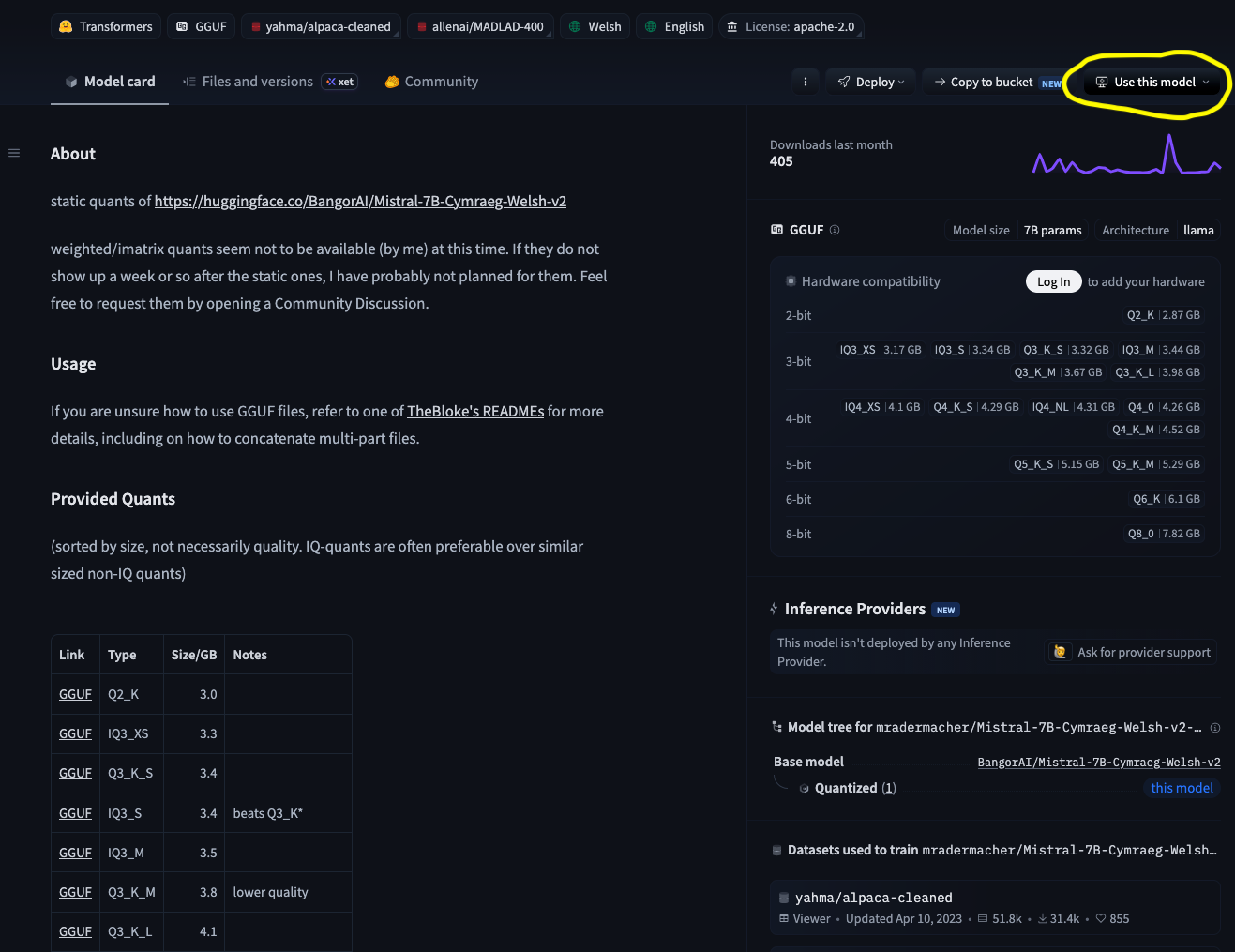
- Choose “LM Studio” from the list.
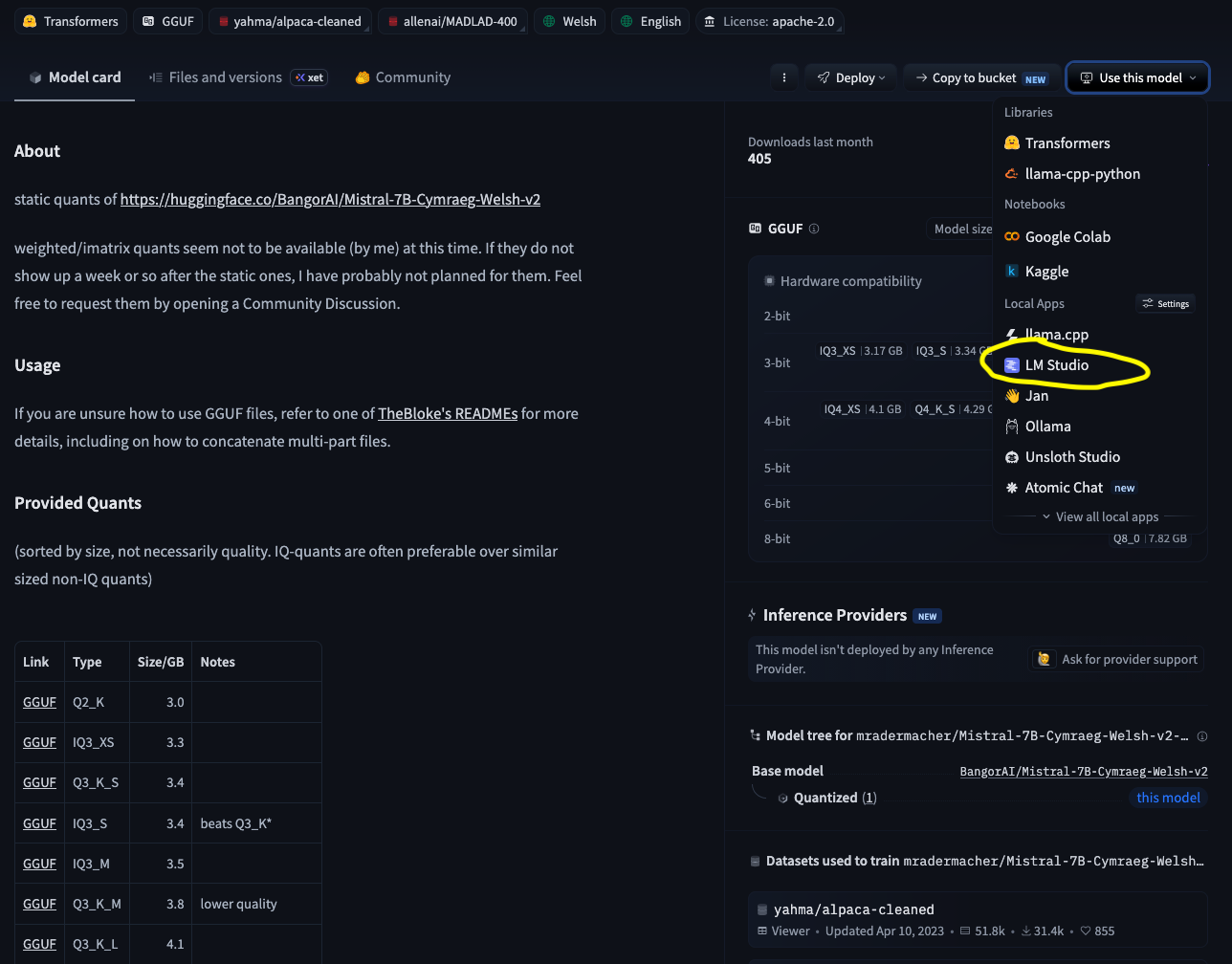
- Your browser will open LM Studio with the model file selector. Select the compression (“quant”).—
Q4_K_M(~4.4 GB) is a good balance between quality and size — and click “Download“. - After the download finishes, select “Use in New Chat“.
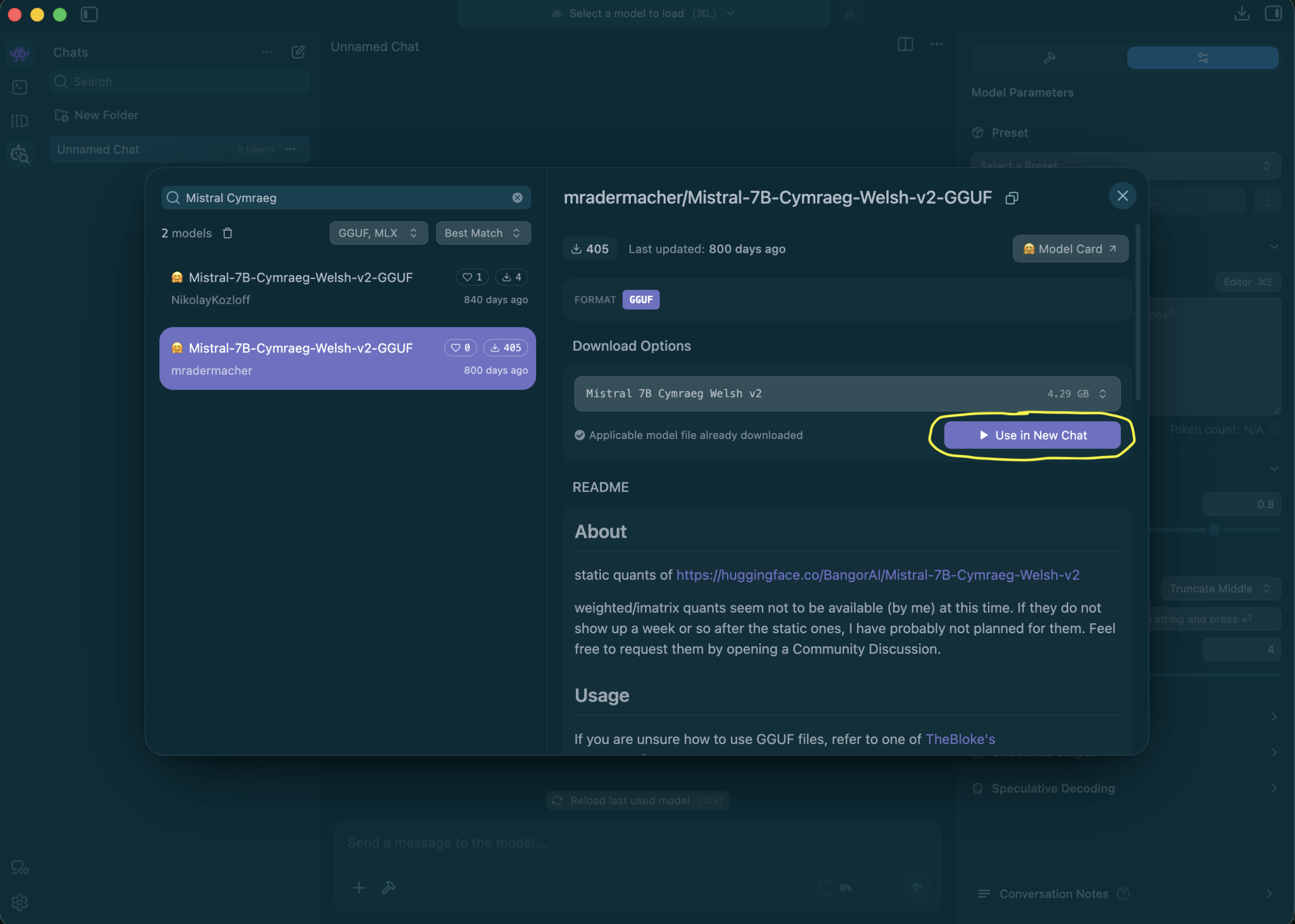
As the model loads, check the GPU offload indicator — you want to see every layer on the GPU; if that isn’t possible on your machine, choose a lower level of compression.
Another method: search within LM Studio
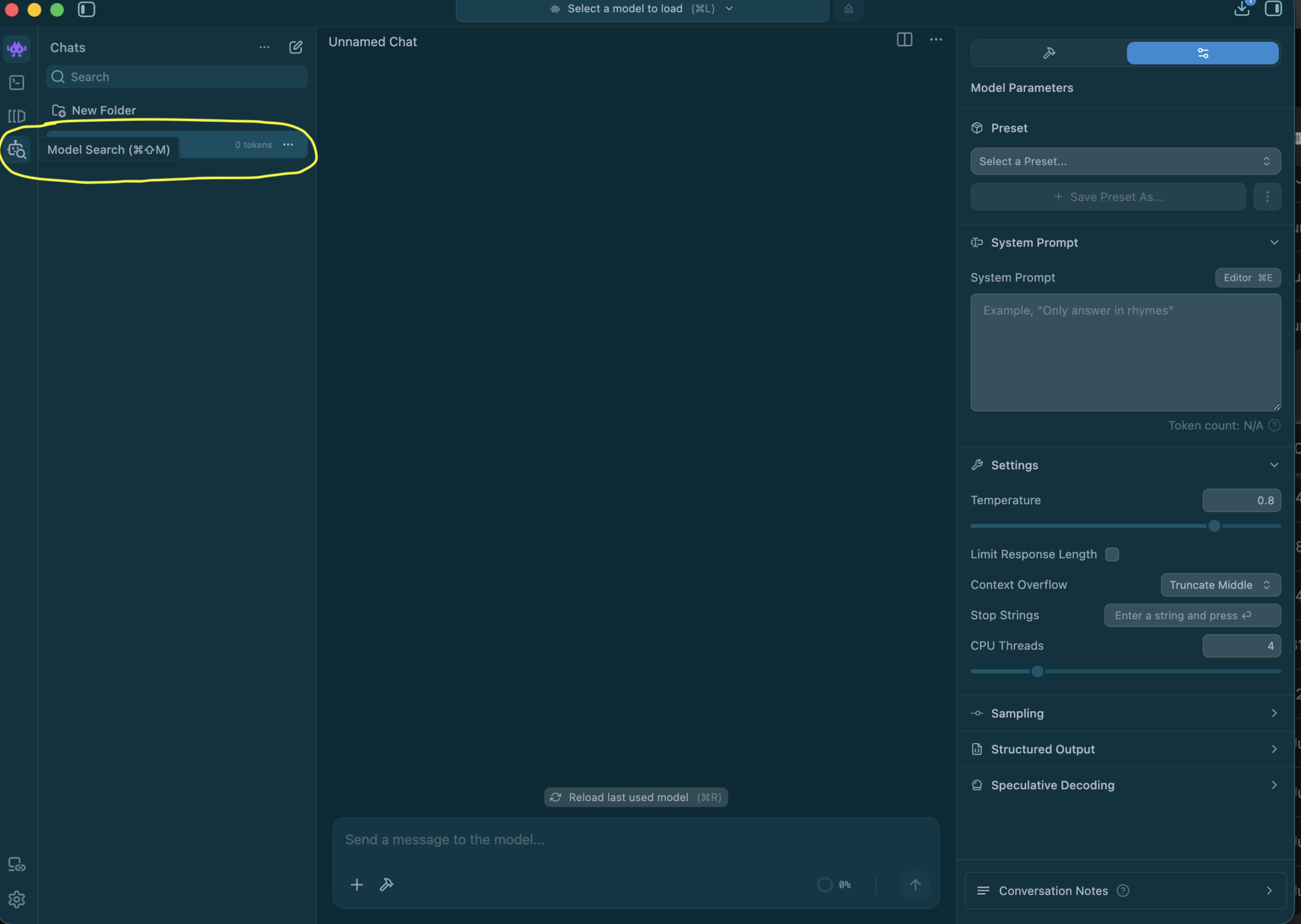
You can reach the same place without leaving LM Studio:
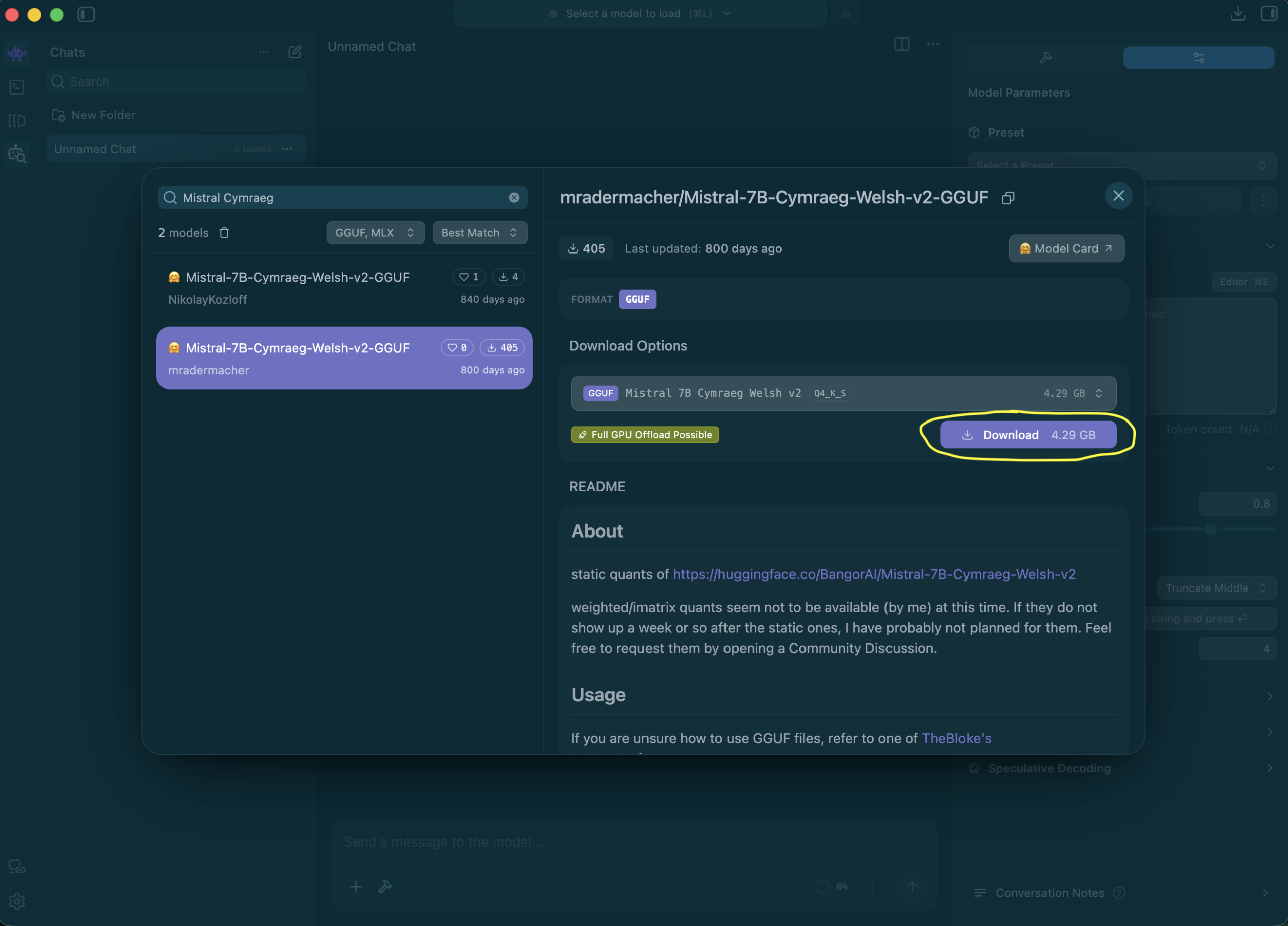
- Open LM Studio → select the “Model search” button in the left-hand menu.
- Search for
Mistral-7B-Cymraeg. Before clicking “Download“, take note of the dropdown under “Download Options” — this is where you can change the compression; LM Studio defaults to its own recommendation, and it is easy to overlook the dropdown.
You can use the terminal if you prefer, by typing: lms get mradermacher/Mistral-7B-Cymraeg-Welsh-v2-GGUF (The CLI asks which compression).
Chatting in Welsh
Set a Welsh system prompt first (in the settings panel on the right), e.g.:
Rwyt ti'n gynorthwyydd defnyddiol sy'n ateb yn gywir, yn rhesymegol ac yn fanwl.
Ateba yn Gymraeg.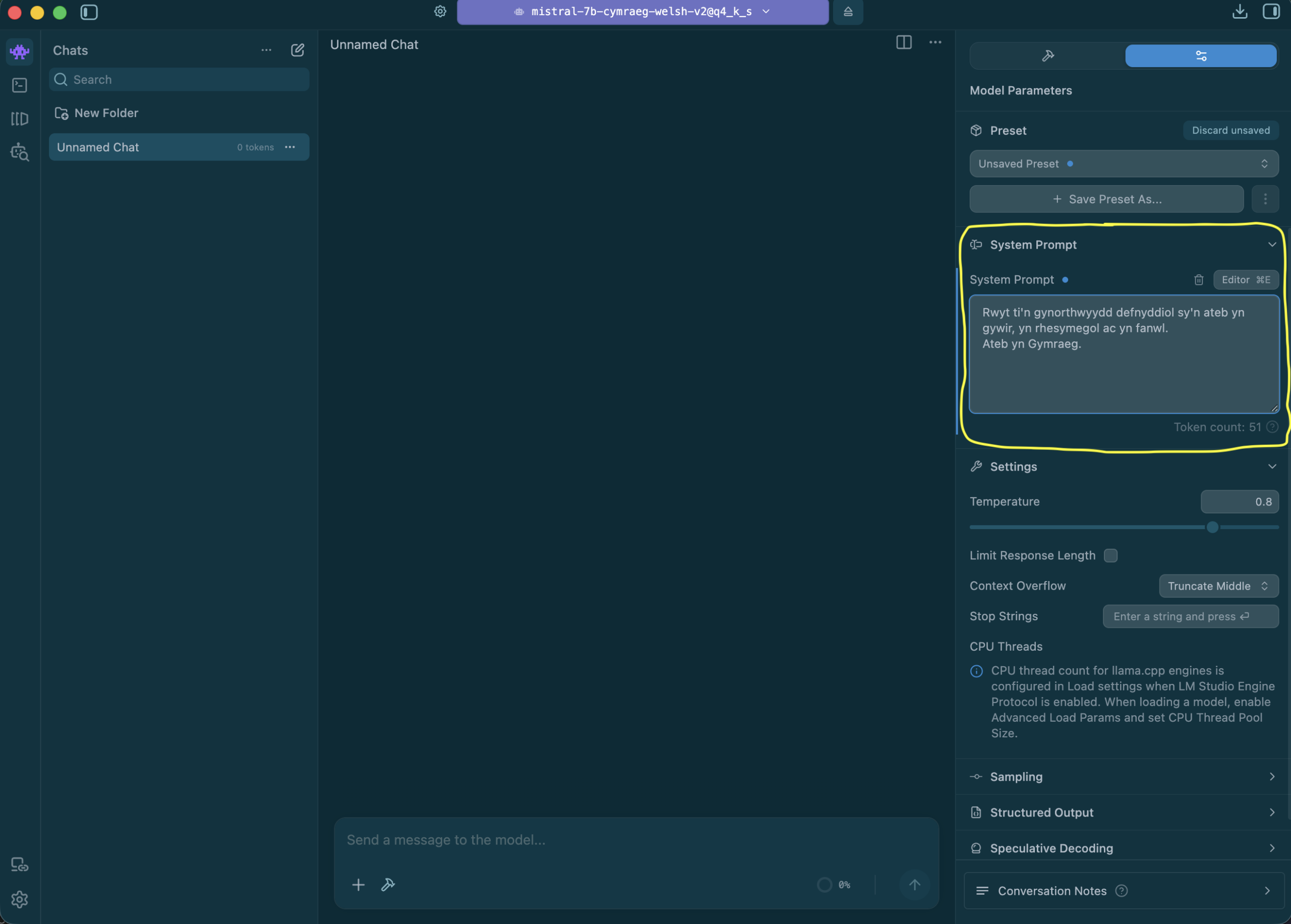
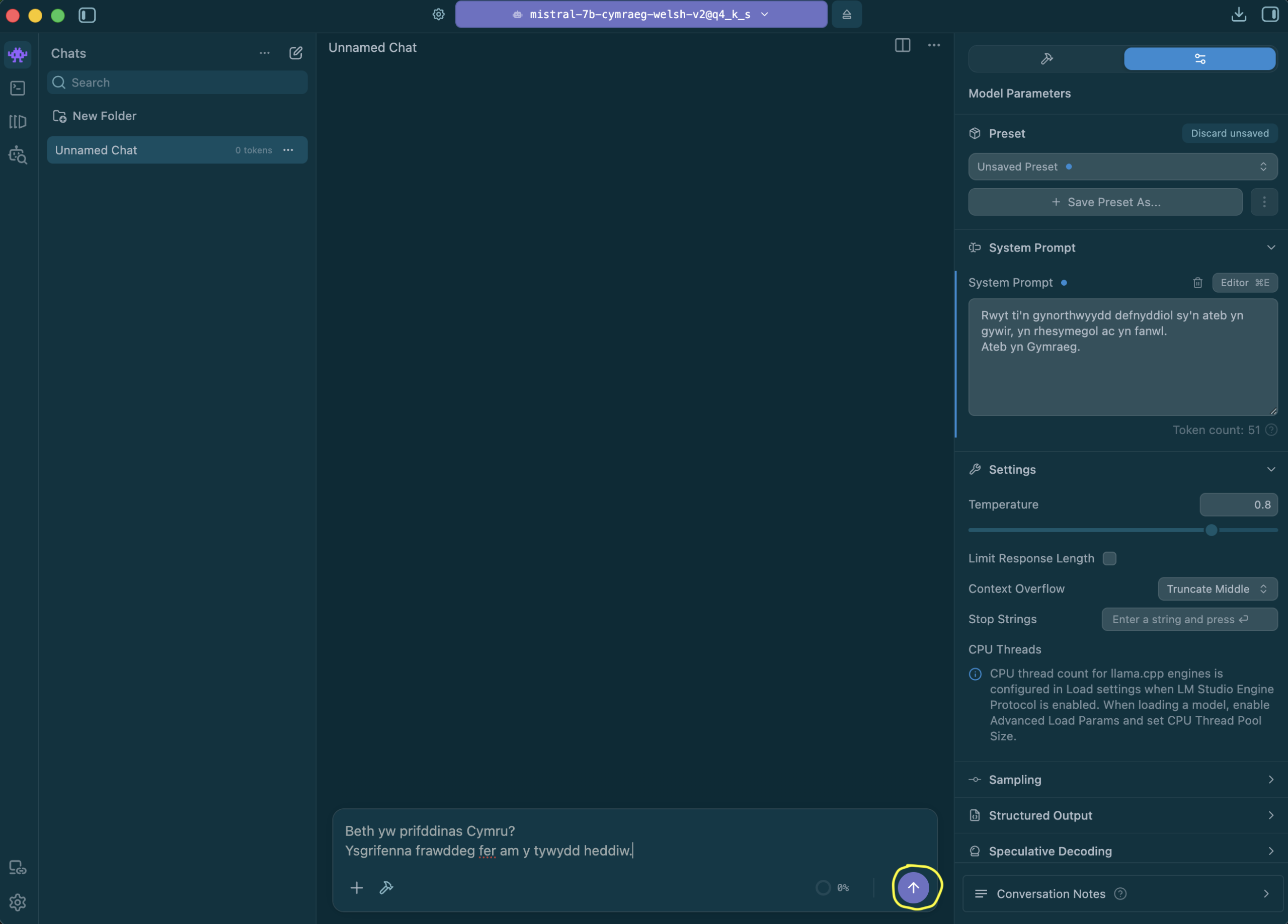
Then try something like:
Beth yw prifddinas Cymru?
Ysgrifenna frawddeg fer am y tywydd heddiw.
before clicking on the up arrow:
And here is the result!:
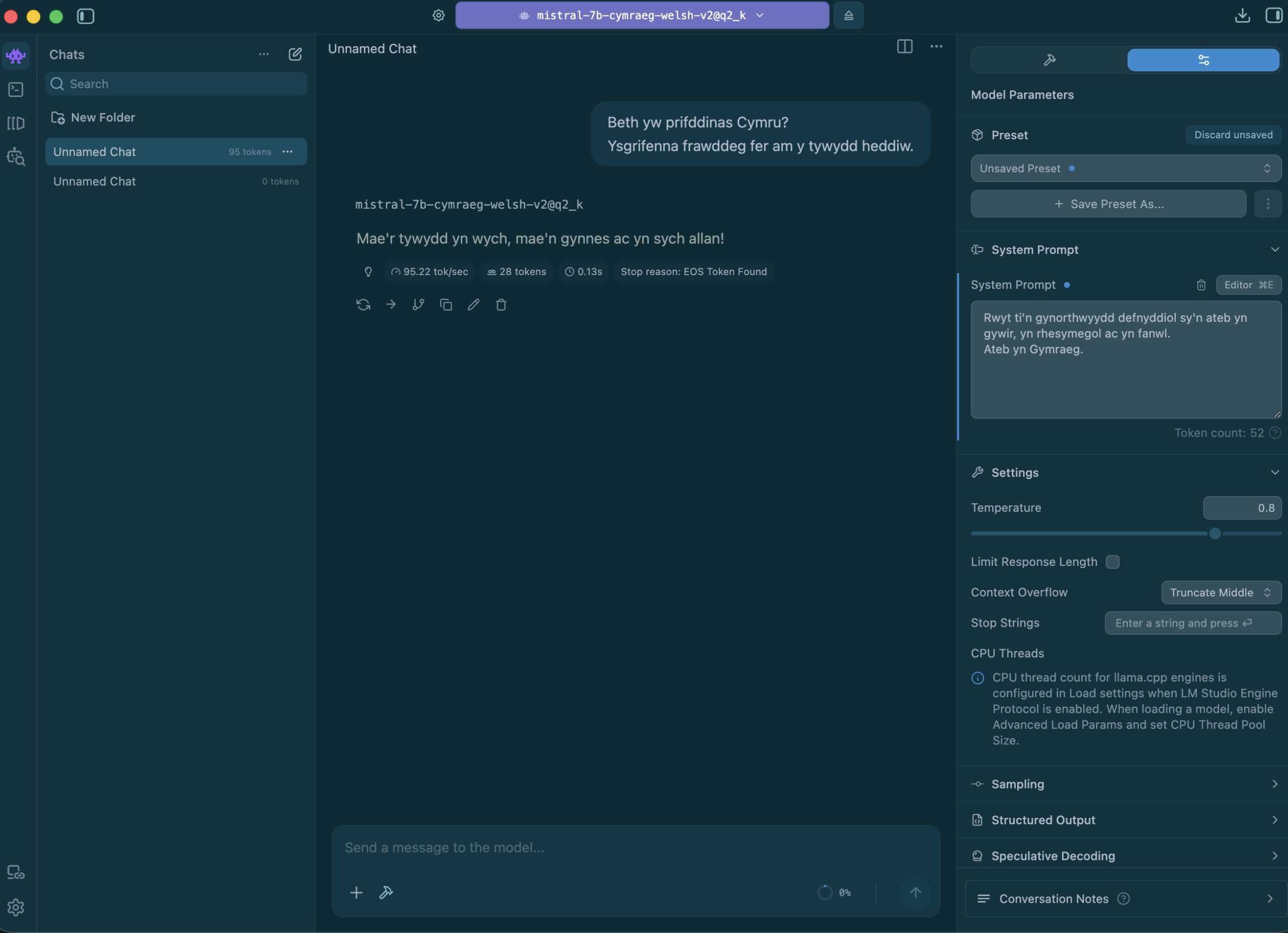
Remember that this is a relatively small experimental model — expect factual errors and occasionally awkward Welsh. The point is that it runs entirely on your own machine.
Tips
- Compression: Q4_K_M is the sensible default; go higher (Q5, Q6) for slightly better quality at the cost of more RAM, and lower (Q3) only if memory is scarce.
- Regarding context: keep it moderate (4–8k) — long context consumes memory and slows everything down.
- On Macs: if an MLX version of a model is available, prioritize it; and always check the GPU offload indicator before starting a conversation — a model that falls back to the CPU can overwhelm the machine.
- No GGUF/MLX files = “not compatible”: if LM Studio says a model from Hugging Face is incompatible, it usually means there are no GGUF or MLX files in the repo — look for a community conversion or convert the model yourself using llama.cpp.
Troubleshooting: error 400 “Failed to initialize samplers”
If you see an intermittent 400 error Failed to initialize samplers: std::exception when using the local server, don’t worry, it’s a known bug in the engine llama.cpp (not a problem with the Welsh model) which has been traced to the structured output path / JSON schema (see llama.cpp#21571). Things to try:
- turn off structured output in the application,
- reset the preset (not just the chat) to LM Studio presets for the model,
- try out a different build/configuration (e.g. i1/imatrix build) from the same repo.
Conclusion
With LM Studio, you can run a Welsh model on a laptop, for free and offline. It is an easy way to put Welsh models directly into people’s hands—without the need for the cloud. And there is more in the pipeline: work is underway to release a GGUF version of the Language Technologies Unit’s 1B Welsh model (techiaith/llama-3.2-1b-welsh-sft), which will run on even smaller machines.